Let’s be honest: most pop-ups are bad.
Not “slightly annoying” bad.
Actively-drive-people-away bad.
You know the ones.
The pop-up that appears the moment the page loads, before you’ve even read the headline.
The “10% off” offer when you’re just trying to find the return policy.
The form that asks for your email, name, company, phone number, life story, and blood type.
These pop-ups don’t just fail to convert. They make people leave.
And that’s what makes this so frustrating, because pop-ups themselves aren’t the problem.
Used well, they work.
Really well.
Exit-intent pop-ups can recover 10–15% of visitors who were about to leave.
Well-timed welcome offers can double or even triple email signups.
The right message, shown at the right moment, can turn “just browsing” into “I’ll take it.”
So why do most pop-ups still perform like garbage?
Because they’re built around what the business wants, not what the visitor needs in that moment.
They interrupt instead of helping.
They ask before they give.
They show the same message to everyone, regardless of intent, timing, or context.
The good news: fixing this doesn’t require a developer, a redesign, or a conversion optimization PhD.
In fact, most high-performing pop-ups follow a handful of very predictable rules. Break those rules, and your conversion rate tanks. Follow them, and results improve fast.
Below are the most common mistakes I see over and over again. If you fix just a few of these, you’ll immediately stop annoying your visitors and start converting more of them.
Table of Contents
Let’s get into it.
7 Common Website Pop-up Mistakes and How to Fix Them
Sin #1: The Immediate Pop-Up
You land on a page.
Before you read a word, a pop-up covers the screen.
This is the fastest way to lose trust.
When a pop-up appears immediately, it tells the visitor one thing:
“I care more about my conversion rate than your experience.”
At that moment, the visitor hasn’t decided:
- if your content is useful
- if your product is relevant
- if you’re worth giving an email address to
So asking for something right away feels premature. Even if the offer is good.
And the data backs this up.
Pop-ups that appear in the first few seconds typically convert around 1–2%.
Pop-ups triggered after someone has engaged with the page convert 2–4x higher.
Why? Because attention has to come before trust.
The Fix: Earn the Right to Interrupt
Instead of showing a pop-up immediately, wait until the visitor has done something that signals interest.
Good triggers include:
- Scrolling partway down the page
- Spending time actually reading
- Viewing multiple pages
- Showing exit intent
This small delay changes the psychology completely.
You’re no longer interrupting. You’re responding.
Simple Timing Rules That Work
If you want a quick baseline that performs well for most sites:
- Blog posts: show after ~50% scroll
- Content pages: show after 20–30 seconds
- Product or pricing pages: show on exit intent
- Returning visitors: show earlier than first-time visitors
You’re not hiding the pop-up. You’re timing it to match intent.
When someone has already invested attention, they’re far more likely to say yes.
Sin #2: A Vague Value Proposition
“Subscribe to our newsletter.”
“Join our community.”
“Stay updated.”
These aren’t offers. They’re placeholders.
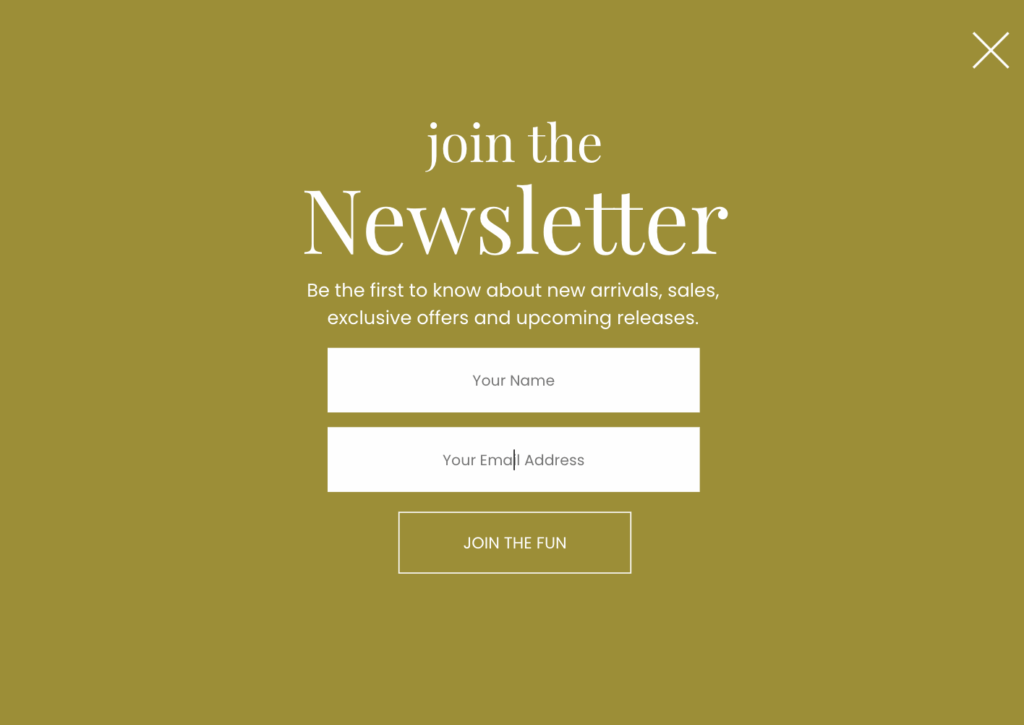
No one wakes up hoping to add another newsletter to their inbox. And “community” isn’t a benefit. It’s an idea that could mean anything from genuinely helpful to completely useless.
When a pop-up fails, this is usually why.
The visitor doesn’t understand:
- what they’re getting
- why it’s useful
- how often it shows up
- or why they should care right now
So they close it. Not because they hate pop-ups, but because you didn’t give them a reason to say yes.
The Rule: Clarity Beats Cleverness
A good value proposition answers one simple question immediately:
“What do I get, and why is it worth my email?”
That’s it.
If the answer isn’t obvious in five seconds, your conversion rate suffers.
Compare these:
Vague
- “Subscribe to our newsletter”
- “Join our email list”
- “Get exclusive content”
Specific
- “Get one conversion tactic every Friday you can implement in 15 minutes”
- “Download the exact pop-up templates we use for our highest-converting pages”
- “Get the 23-point checklist we run before launching any pop-up”
The difference isn’t copywriting tricks. It’s specificity.
Specific promises feel safer. They set expectations. They reduce the fear of spam and regret.
Be Honest About the Trade
An email address is a small thing, but it’s still a trade.
You’re asking for access to someone’s inbox. In return, they want to know:
- What’s in it for me?
- How often will this show up?
- Is this actually useful, or just marketing?
Answer those questions directly.
For example:
- “One email per week. Tactical. No fluff.”
- “A short checklist you can use today.”
- “Free now. You can unsubscribe anytime.”
You don’t need hype. You need clarity.
A Simple Test
If your pop-up headline could apply to any business in any industry, it’s too vague.
“Join our newsletter” works for everyone, which is exactly why it works for no one.
Specific value propositions don’t just convert better. They attract the right people, which means better engagement long after the pop-up converts.
Sin #3: Too Many Form Fields
Every extra form field costs you conversions.
Not sometimes.
Not hypothetically.
Every time.
Asking for an email address is a small ask. Asking for an email, name, company, job title, and phone number is a commitment most visitors haven’t earned yet.
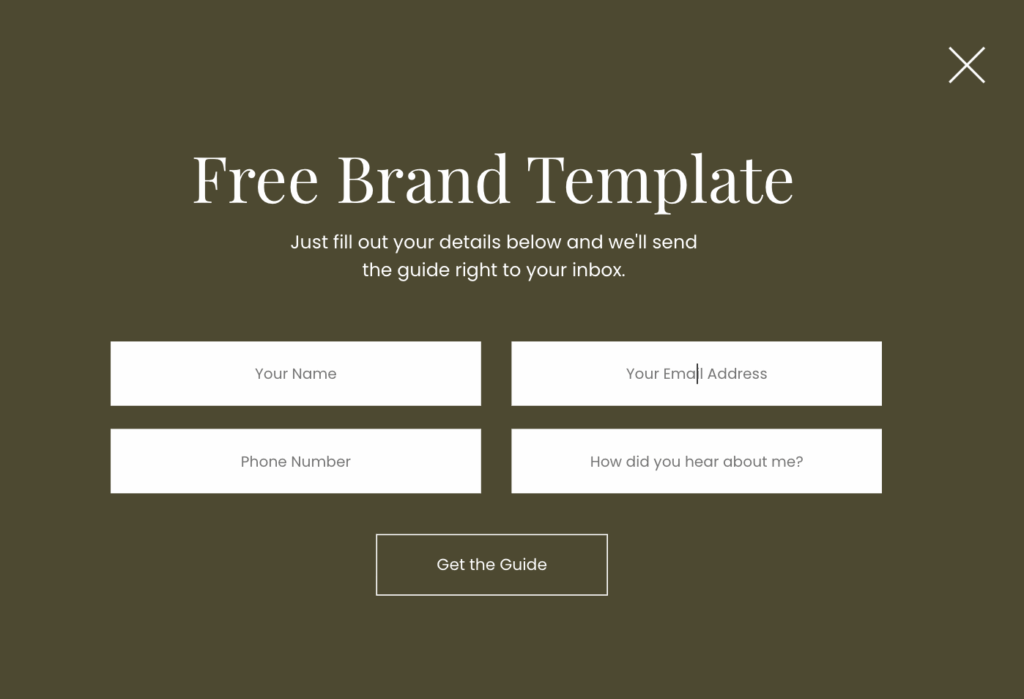
And the math is brutal.
Rough averages across thousands of pop-ups:
- Email only: ~8% conversion
- Email + name: ~5–6%
- Email + name + company: ~4%
- Email + name + company + phone: you’ve lost most people
Each additional field introduces friction. More thinking. More hesitation. More reasons to close the pop-up.
This isn’t because people are lazy. It’s because they’re cautious.
The Rule: Ask for the Minimum Required to Move Forward
For most pop-ups, that means email only.
Maybe first name if you genuinely need it for personalization. But that’s the upper limit for the vast majority of businesses.
You’re not qualifying a sales lead here. You’re starting a relationship.
You can always ask for more information later:
- in the welcome email
- after they download the resource
- once they’ve engaged with your content
Trying to collect everything upfront almost always backfires.
The One Exception
If you sell high-ticket services or enterprise-level products, you may need additional fields to qualify leads.
That’s fine. Just be honest about the tradeoff.
More fields means:
- fewer signups
- but higher intent
If volume matters, simplify. If qualification matters more than volume, accept the lower conversion rate and move on.
Most people don’t need more fields. They just think they do.
Sin #4: The Impossible-to-Close Pop-Up
If someone can’t easily close your pop-up, they won’t convert.
They’ll leave.
This is one of the most common mistakes I see, and it’s completely avoidable.
A tiny close icon tucked into the corner.
Low contrast so it barely stands out.
Or worse, no close button at all, just a passive-aggressive option that says something like “No thanks, I don’t want to grow my business.”
This doesn’t increase conversions. It increases frustration.
When visitors feel trapped, they don’t suddenly comply. They look for the fastest escape. And that escape is usually the browser tab.
The Rule: Closing Should Be Obvious and Effortless
A pop-up should always feel optional.
If someone wants to say no, let them. Forcing the issue doesn’t make them more likely to say yes. It just makes them less likely to come back.
Basic requirements:
- A visible close button in the top corner
- Enough contrast that it’s easy to spot
- Large enough to tap accurately, especially on mobile
If closing the pop-up requires precision, patience, or guesswork, it’s broken.
About “Clever” Decline Copy
Those guilt-based buttons might get a laugh in a marketing Slack channel, but they don’t help conversions.
Lines like:
- “No thanks, I prefer to struggle”
- “I don’t like making more money”
- “I’ll stay confused”
They don’t persuade. They annoy.
People already know they’re declining the offer. You don’t need to shame them for it.
Clear, neutral options work better and keep your brand from feeling manipulative.
Sin #5: Mobile Disaster Design
If your pop-up doesn’t work on mobile, it doesn’t work.
For most websites, 60–70% of traffic is mobile. That means more than half of the people who see your pop-up are seeing it on a small screen, with their thumb, probably while distracted.
And yet, a huge number of pop-ups are still designed like everyone is on a desktop.
The result:
- The pop-up fills the entire screen
- The close button is tiny or hard to tap
- The text is cramped or unreadable
- The form triggers awkward zooming
- The keyboard covers half the content
At that point, the visitor isn’t evaluating your offer. They’re trying to escape.
The Rule: Design Mobile-First, Not Desktop-Adapted
Mobile isn’t a smaller version of desktop. It’s a different experience.
A pop-up that feels fine on a laptop can be unusable on a phone, and most people never test it properly.
If you want a simple standard to follow:
On mobile, your pop-up should:
- Leave some page content visible behind it
- Have a close button that’s easy to tap without precision
- Use large, readable text
- Ask for the bare minimum (email only)
- Load fast
If any of those fail, your conversion rate will too.
How to Actually Check This
Don’t rely on browser resizing. That’s not the same thing.
Open your site on your phone. Trigger the pop-up. Try to close it with one hand.
If it feels even slightly annoying, it’s already too much.
Fixing mobile issues doesn’t just improve conversions. It prevents people from bouncing before they ever see what you offer.
Sin #6: Offering a Discount to Everyone
Discounts feel like an easy win. Throw up a welcome pop-up, offer 10–15% off, and call it conversion optimization.
But when you show a discount to everyone, you’re not optimizing conversions. You’re giving away margin you didn’t need to lose.
The biggest problem isn’t that discounts don’t work. It’s that they work too broadly.
You end up discounting:
- People who were already about to buy
- Repeat visitors who would have paid full price
- Customers who now expect a discount every time
That’s not a strategy. That’s training.
Why This Hurts More Than It Helps
When visitors learn that a discount appears immediately, they stop taking your pricing seriously.
They wait.
They hunt for the pop-up.
They abandon carts on purpose.
Over time, your “conversion boost” quietly turns into lower average order value and thinner margins.
You didn’t increase demand. You just lowered the price.
The Smarter Approach: Match the Offer to Intent
Not all visitors should see the same message.
Someone landing on your site for the first time is in a different mindset than someone who’s viewed your pricing page three times.
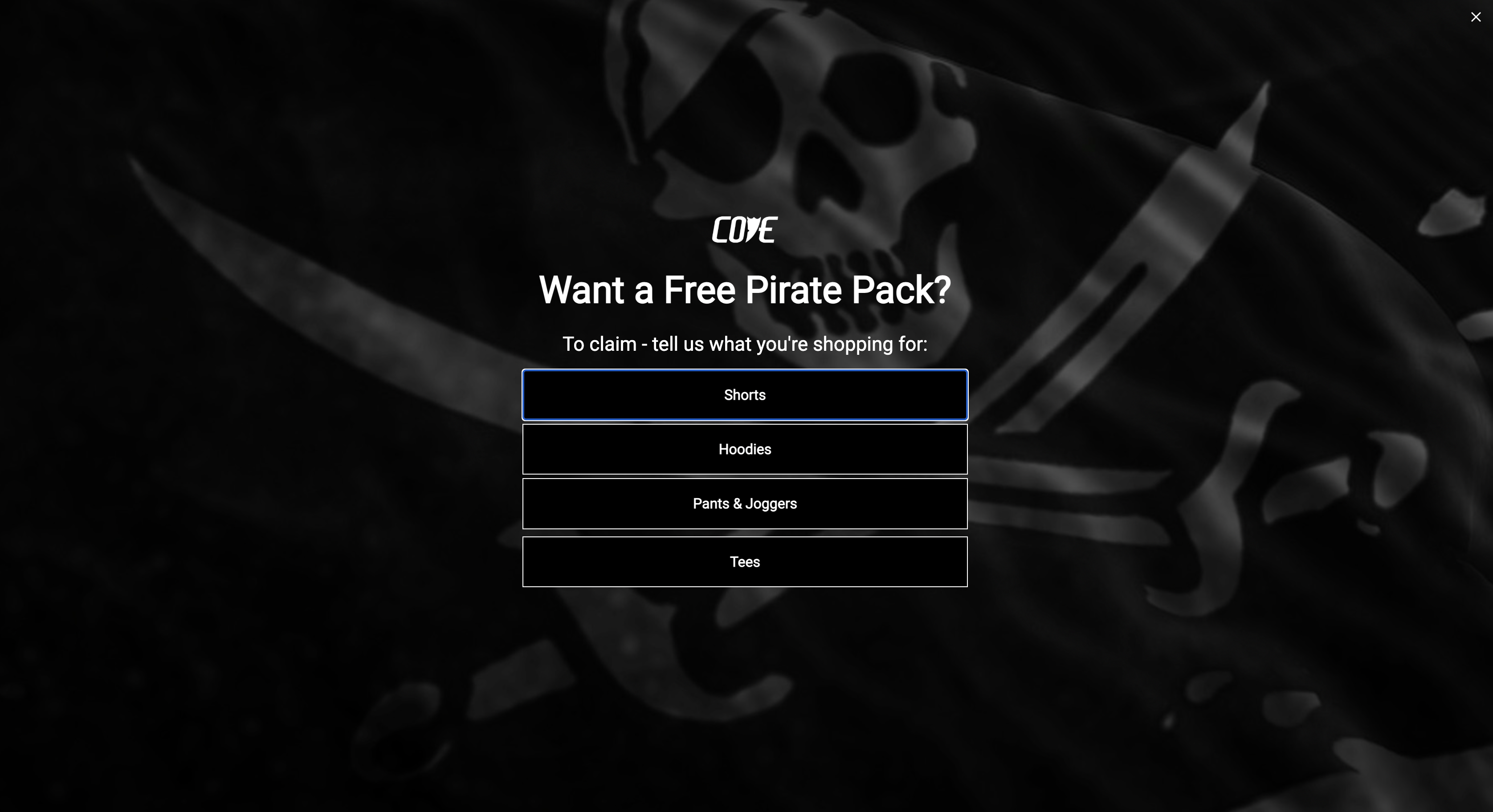
A simple framework that works:
- New visitors: lead with value (guides, checklists, education)
- Returning visitors: remind them what they were interested in
- Cart abandoners: this is where discounts actually make sense
- Exit intent: last-chance offers for people already leaving
Discounts are most effective when they remove friction, not when they replace value.
Think in Scenarios, Not Pop-Ups
Instead of asking “What pop-up should I show?” ask:
“What is this person trying to do right now?”
Someone comparing options needs reassurance.
Someone hesitating at checkout needs a nudge.
Someone casually browsing doesn’t need a discount at all.
When your pop-ups respond to behavior instead of treating everyone the same, conversion rates improve without sacrificing margin.
Sin #7: The Pop-Up That Never Goes Away
You close the pop-up.
It comes back.
You close it again.
It follows you to the next page like nothing happened.
At that point, it’s not persistence. It’s friction.
When someone has already dismissed a pop-up, showing it again immediately doesn’t change their mind. It just increases the chance they leave.
Why Repetition Backfires
Pop-ups don’t fail because people didn’t see them enough times. They fail because the timing or message wasn’t right for that visitor.
Repeating the same interruption:
- Frustrates visitors
- Trains them to ignore future messages
- Makes your site feel pushy instead of helpful
And once that irritation sets in, even good offers get dismissed.
The Rule: Let Visitors Dismiss Without Losing Access
When someone closes a pop-up, treat that as useful information.
They’re not saying “never.”
They’re saying “not right now.”
The mistake is forcing the choice to be binary: convert or be interrupted again.
A better approach is to let the pop-up step out of the way while still staying accessible.
The Better Alternative: Minimize Instead of Repeating
This is where minimizing beats repeating.
Instead of re-triggering the same pop-up over and over, you can collapse it into a small, unobtrusive tab on the edge of the screen. The visitor keeps control, and the offer stays available.
This works because:
- The interruption ends
- The visitor isn’t punished for closing it
- The offer is still easy to find when they’re ready
It’s respectful without being passive.
With BDOW!’s Show-a-Tab feature, a closed pop-up can shrink into a simple tab that stays visible as the visitor scrolls or navigates. No re-triggering. No chasing. Just a quiet reminder they can open on their own terms.
When This Works Best
Minimized pop-ups are especially effective for:
- Lead magnets people may want later
- Announcements that don’t require urgency
- Educational offers on long-form content
- Visitors who aren’t ready to decide yet
Instead of choosing between annoyance and invisibility, you get a third option: availability without pressure.
So What Actually Works?
If you look back at the seven sins, they all point to the same pattern: Most pop-ups fail because they’re built around tactics instead of intent.
High-converting pop-ups follow a simpler set of rules.
Rule 1: Get the Timing Right First
Before you touch copy, design, or offers, fix when the pop-up appears.
A pop-up shown at the wrong moment will underperform no matter how good it looks.
As a baseline:
- Show pop-ups after engagement, not on page load
- Use scroll depth or time on page for content
- Use exit intent for product and pricing pages
Timing earns attention. Without it, nothing else matters.
Rule 2: Make the Offer Do the Heavy Lifting
This is where most of the real gains come from.
People love to debate button colors and fonts because they’re easy to change. But those tweaks usually move conversion rates by a few percentage points at best.
Your offer can move them by 2–4x.
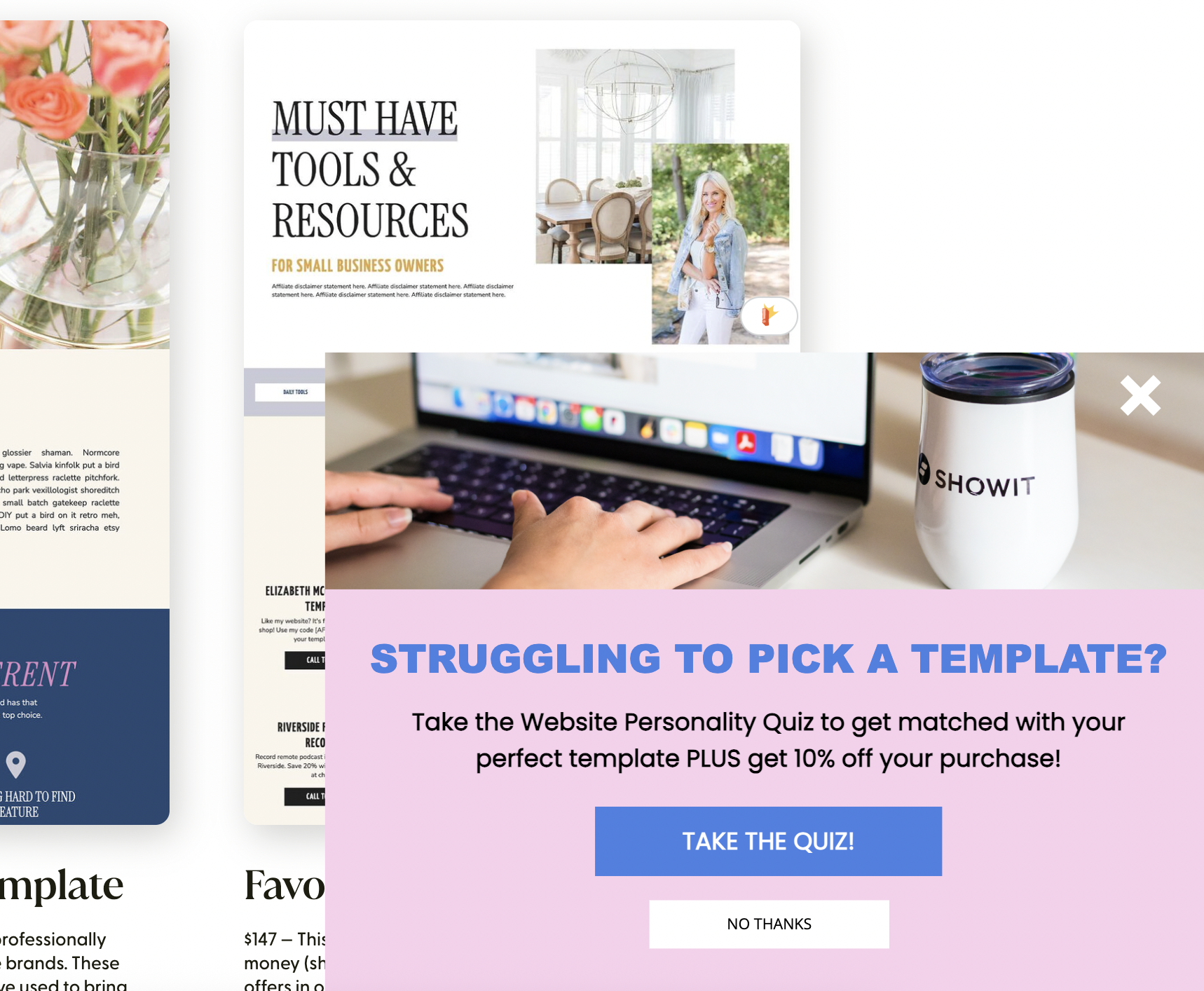
If visitors don’t want what you’re offering, no amount of design polish will save it.
Before testing layouts or colors, test:
- A checklist vs. a guide
- Education vs. a discount
- A free resource vs. a trial or preview
- Different framing of the same offer
A clear, valuable offer beats a perfectly designed vague one every time.
Rule 3: Say It Clearly in One Line
Once the offer is right, the job of the copy is simple: make the value obvious immediately.
If someone has to think about what they’re getting, they won’t convert.
Avoid generic language. Be specific about:
- What they get
- How it helps
- How long it takes
- How often it shows up
Clarity reduces hesitation. Hesitation kills conversions.
Rule 4: Reduce Friction Everywhere You Can
Every extra step, field, or decision lowers your conversion rate.
Aim for:
- One clear CTA
- One form field whenever possible
- An obvious way to close or dismiss
You’re not closing a sale in the pop-up. You’re opening a door.
Make it easy to say yes and easy to say no.
Rule 5: Respect the First No
If someone dismisses your pop-up, don’t keep interrupting them.
Either let it go or minimize it so it stays available without getting in the way.
Pop-ups perform best when they feel optional, not forced.
What to Focus on When Testing
If you’re going to test anything, start with the biggest levers.
Test your offer first.
Then test your headline.
Then test timing and targeting.
Fonts, colors, and button styles can matter, but they’re refinements. If the offer and message aren’t right, those tests won’t move the needle in a meaningful way.
If You Only Fix One Thing
Make your offer more specific.
Not “Subscribe to our newsletter.”
But “Get one conversion tip every Friday you can implement in 15 minutes.”
That single change often outperforms weeks of smaller design tweaks.
Put This Into Practice Without Overthinking It
You don’t need more pop-ups.
You need better ones.
The kind that show up at the right time, say something specific, ask for very little, and get out of the way when the answer is no.
That’s exactly what BDOW! is built for.
It gives you:
- Smart triggers like scroll depth and exit intent
- Behavior-based targeting so different visitors see different offers
- Simple controls for frequency, dismissal, and minimizing pop-ups into tabs
- A drag-and-drop editor that doesn’t require design or code skills
- Built-in testing so you can improve what matters most, starting with the offer
No developer.
No duct-taped tools.
No guessing what’s working.
If you’ve read this far, you already know what needs to change. The only thing left is actually doing it.
Try BDOW! free for 14 days and fix your pop-ups the right way.
Start your free trial →
No credit card required. Just your email.
(Yes, we know. Still ironic. Still worth it.)
P.S. If your pop-up still says “Subscribe to our newsletter,” change it today. Not later. Today.



Add A Comment
VIEW THE COMMENTS