“Join my newsletter” is not a call to action.
It’s a sentence. A polite request. The kind of ask that sits next to “subscribe to my podcast” and “follow me back on Instagram,” then disappears.
Think about your own inbox for a second. How many newsletters have you joined in the last six months because someone asked you to? Versus how many you signed up for because the thing on the other side of that email field looked useful enough to trade for?
That’s the gap a lead magnet closes. A lead magnet is a useful resource you offer for free in exchange for an email address.
If your list is stalled, it is probably not because you forgot to ask. It is because you asked for loyalty to a newsletter nobody has a reason to want yet. The 12 examples below are patterns you can steal, not PDFs you should copy. They work for coaches, photographers, and people running Showit sites, because the trade is specific: one problem, one file (or one result), one email.
If you want the full build walkthrough, that lives in our ultimate guide to lead magnets. This page is the gallery.
What converting lead magnet examples have in common
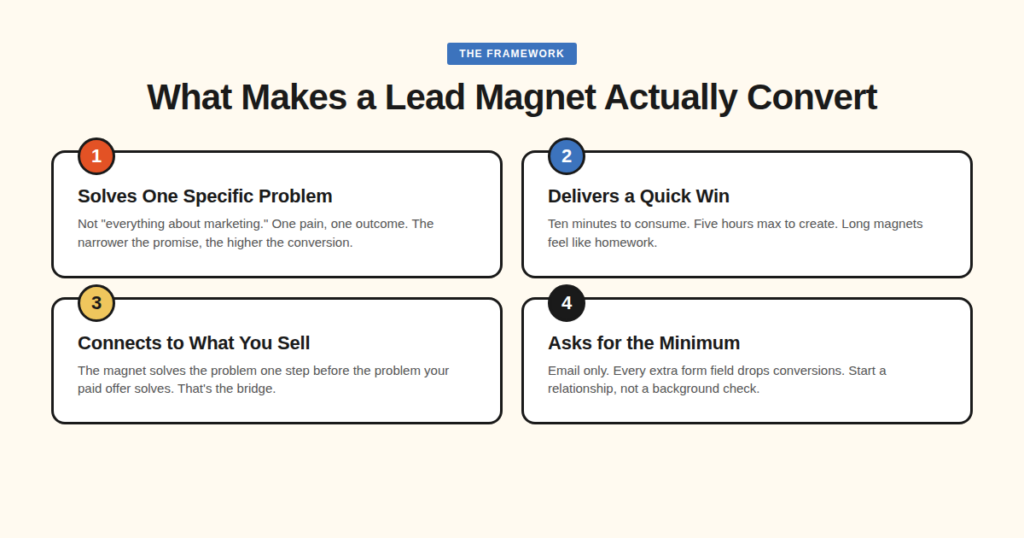
Every magnet that earns the email hits these four marks.
1. It solves one specific problem. Not “everything you need to know about marketing.” One pain. One outcome. “5 email subject lines that booked our last 12 client calls” will out-convert “The Complete Guide to Email Marketing,” because specificity reads as more believable.
2. It delivers a quick win. About ten minutes to consume. If a subscriber has to block a Saturday afternoon to get value, they will not, and they will forget you by Monday.
3. It sits one step before what you sell. A photographer’s pre-wedding shot list makes sense. A photographer’s “10 dinner recipes” does not. The magnet should solve a problem that sits one step before the problem your paid offer solves.
4. It asks for the minimum. Email only. Maybe a first name if you need to personalize. Extra fields drop conversions. You are starting a relationship, not running a background check.
Read the 12 against those four marks. The format changes. The trade does not. No extra tutorial. No invented conversion rates.
Magnets that save someone time
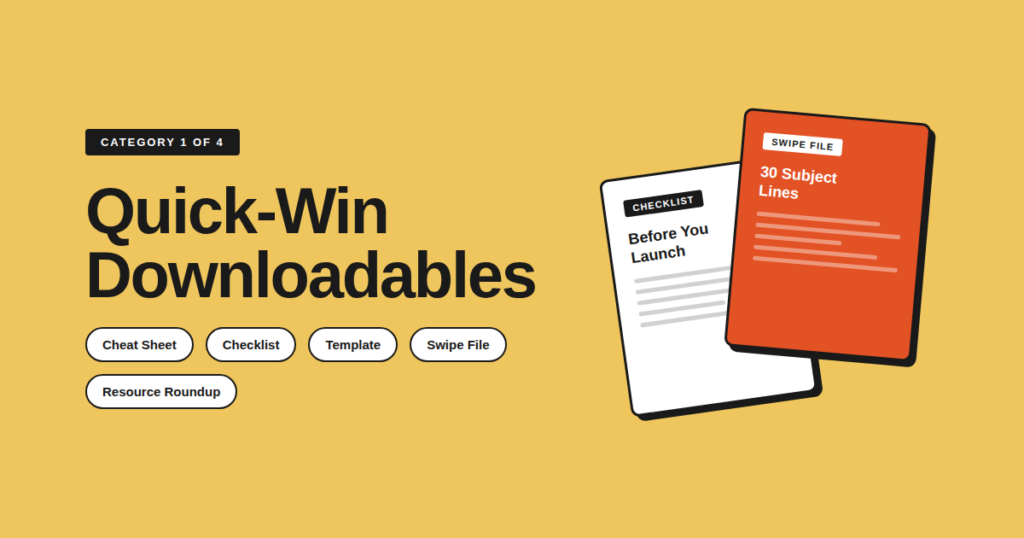
The formats that look boring still print emails, because they finish the job the blog post started.
1. The cheat sheet
Someone finishes a captions post and still wants the list in one place. They will not scroll back through 2,000 words to find it. That is the cheat sheet: a one-page (or near enough) PDF they can keep open in another tab. Reference card, not ebook.
Skimmable. Immediately usable. “30 power words for your next subject line.” “The Instagram caption formulas we use for every post.” “Pricing language do’s and don’ts for service providers.” A photographer ships caption formulas they actually use. A Showit designer ships homepage section formulas that book calls.
Pull the list, the steps, the examples from your best-performing post. Put them on one page. Offer that page on that post. A captions cheat sheet that fires sitewide is the wrong trade. BDOW! targeting keeps the offer on the URL that earned it. Inline mid-post, or a popup at about 50% scroll. Use one of these headline formulas for the title.
2. The checklist
For service businesses where clients are about to do something stressful for the first time (book a wedding photographer, launch a website, hire a coach), a checklist is one of the highest-ROI magnets you can ship. It takes the reader from “I have a vague problem” to “I have a clear list of things to do about it.”
The job it does: Turns a blob of anxiety into small wins people will trade an email for. The couple still needs a photographer. The site still needs a designer. The magnet sits one step before the sale.
How to ship it: A pre-wedding shot list. A “before you launch your Showit site” list. A client onboarding list for new coaches. Find the thing your audience is nervous about. Break it into 10 to 20 checkbox items. Design it so it looks like something they would print and stick on the fridge.
Where it should fire: A click-trigger on a button in the post (“Get the checklist”), plus an exit-intent popup offering the same file when the mouse moves toward the browser close button. That pairing is a content upgrade pattern: the offer matches the page they are already reading.
3. The template or swipe file
Templates collapse hours of work into minutes. A swipe file removes the blank-page problem. Notion client-project tracker, Canva carousel pack, pricing-guide template, welcome-sequence swipe (copy, paste, edit). A coach’s discovery-call agenda. A photographer’s client-gallery email. Homepage copy blocks for a Showit designer. Same pattern: they open the file and edit.
That is the difference between “you should write a welcome sequence” and “here is a welcome sequence, fill in the blanks.” Use assets you already built for your own business or for clients. Strip the client-specific info, polish the design, gate it. If someone wants a lesson on writing the sequence, send them to the ultimate guide to lead magnets. This page stays on the example.
The visitor who clicks “Get the template” already chose the file. A BDOW! click-trigger should confirm the trade, not interrupt someone still reading. Email only on the form. A template download is not the moment to ask for a phone number.
4. The resource roundup
Buying decisions are exhausting. A vetted shortlist of tools, services, or sources (a stack, a toolkit, a “what’s in my bag” post) saves hours of research and positions you as someone who has done the work, without you having to say “I’m an expert.”
“The 14 tools I use to run my photography business.” “Every plugin we install on a new Showit site.” “My exact tech stack as a solopreneur coach.” List the tools you actually use and pay for. One or two sentences on why for each. That’s it. Do not turn this into a competitor comparison table. This URL is examples, not a tools roundup.
End-of-post inline form, plus exit-intent offering the same downloadable list. Keep both on the roundup URL. A photographer folds gallery software into the bag list. A Showit designer ships the install list for a new client site.
Magnets that make it about the visitor
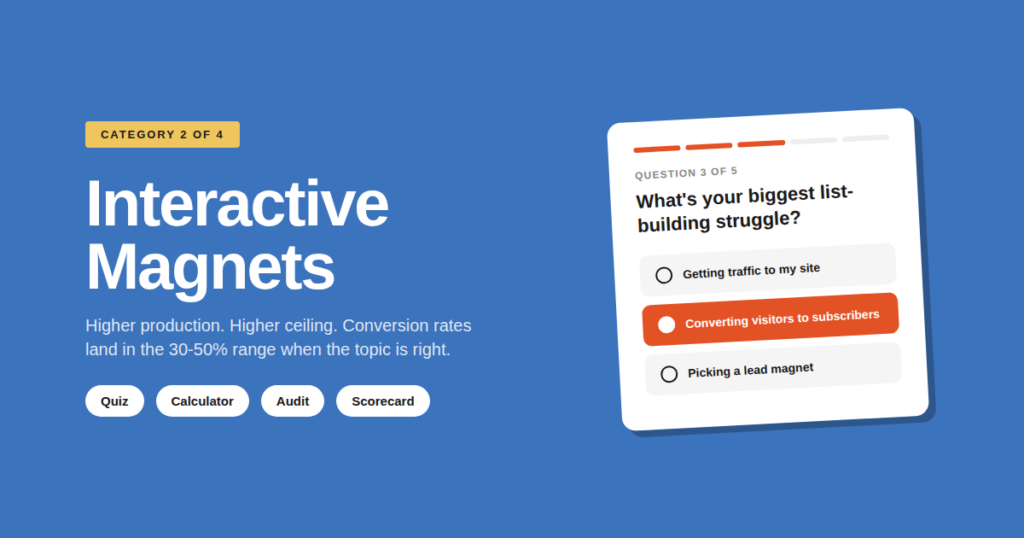
People will hand over an email to learn something about themselves that they will not hand over for your PDF. That is the whole section, if we are being blunt about it.
5. The quiz
16Personalities gives away a free personality test and built a global brand on the format. The visitor answers questions about themselves, opts in to get results, and walks away with something that is about them. Steal the format. Do not steal invented subscriber counts. We do not have a sourced number for that site, so we will not pretend we do.
People care about themselves more than they care about your business. Once someone has answered ten questions, handing over an email feels like the natural next step. “What’s your brand archetype?” “What type of offer should you sell first?” “Which photography style fits how you actually shoot?” A Showit designer asks “what does your homepage need.” Build 6 to 10 questions. Gate the results behind an email opt-in.
The capture lives on the result page. That is the moment they want the answer. Optional: a BDOW! click-trigger from a blog post that tees up the same quiz, so the ask sits on the button the visitor already chose. Skip a sitewide popup. A photography-style quiz should not fire on a pricing page.
6. The calculator
Calculators are quizzes with math. They take the visitor’s input and return a number about their situation: a wedding photography pricing calculator, an email-list revenue calculator, an hours-saved calculator (“How many hours per week would this workflow give back?”). A coach can ship “what should this group program cost.” Same idea. Personalized number, not a PDF.
The number they want: A custom answer still hits the four marks. One question, a fast result, a number that sits one step before your paid offer (pricing, list value, time), and an email-only gate.
Build it: Find a number your audience wants to know. Build the math. Wrap a simple form around it. Deliver the result, then follow up with content that helps them improve that number. Do not turn this H3 into a JavaScript tutorial.
Gate it: Ask for email before the full number, or email the breakdown after a teaser result. BDOW! inline or click-trigger on the calculator page. Skip a sitewide popup. This offer is page-specific.
7. The audit or scorecard
HubSpot’s Website Grader lets you enter a URL and get a free report on performance, SEO, mobile, and security. We can describe what it does. We cannot source a conversion rate, so we will not invent one. The visitor already wondered if the site was any good. The report answers that, then surfaces problems they did not know they had, one step before the paid audit, rebuild, or coaching container.
Evaluate one slice and return a score with recommendations. A manual version works: “Submit your site, we’ll send a 5-point audit within 48 hours.” Showit-site scorecard. Offer-page scorecard for coaches. Photographer’s “is your inquiry form losing couples.” Short form: URL plus email. Inline on the audit landing page, or a click-trigger from services pages. Do not script the follow-up sales email here.
Magnets that earn a longer conversation
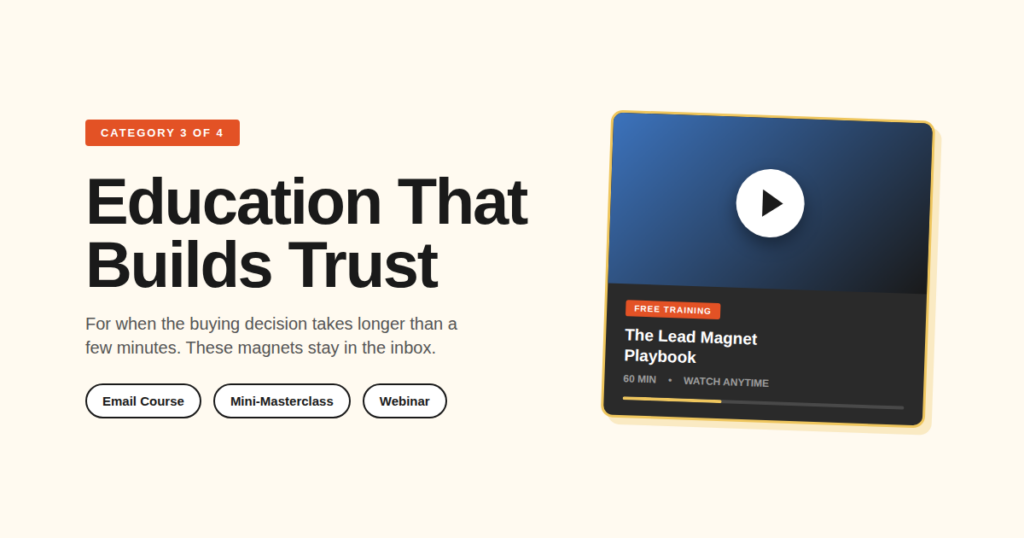
For offers where the buying decision takes longer than a few minutes. These magnets are not the ten-minute win. They stay in the inbox long enough to become the obvious choice.
8. The free email course
Five emails. One per day. Each teaches a small piece of a bigger skill. By the end, the subscriber has been in your inbox for a week. The magnet is the sequence. That is the only place this page covers a lead magnet email sequence, because the course itself is the example, not a copywriting lesson.
“Course” sounds like education. “Ebook” sounds like a PDF you will forget. Five emails also train the subscriber to open your mail, which is the point of a list. Take a topic you would turn into a 30-page guide. Break it into five chunks. One takeaway per email. One per day. Soft pitch on the last one. “5 days to a clearer offer.” “5 emails to a booking-ready inquiry process.” “5 days to a homepage that explains what you do.” For the full create walkthrough, use the ultimate guide to lead magnets.
A landing page, or a welcome-mat style popup promoting the 5-day course. BDOW! targeting keeps the offer on URLs where that topic already has attention, not on a homepage that has nothing to do with the lesson.
9. The free training or mini-masterclass
A 30 to 60 minute video that teaches a specific outcome. Watchable on demand. BDOW!’s own Lead Magnet Playbook is a working example of this pattern: a free training that goes deeper on the topic the reader already cares about, gated behind an email opt-in, with the product showing up naturally inside the training.
Video builds trust faster than text. Sixty minutes of someone explaining a concept is closer to a conversation than any PDF. The commitment is higher than a cheat sheet, so the leads are warmer. Pick a topic your audience is paying for elsewhere. Record a 30 to 60 minute walkthrough. Gate it. Don’t over-produce. A clean screen recording with good audio beats a glossy explainer most of the time. Group-program structure. Wedding-day timeline. Homepage in one sitting. Same pattern.
The visitor who clicks “Watch the free training” already raised a hand. Match that with a BDOW! click-trigger, plus a dedicated landing-page popup. Keep this off unrelated blog posts. A captions article is not a training page.
10. The live or evergreen webinar
A webinar is a training with a date attached. The deadline drives signups. The live element drives attendance. The Q&A drives trust. Evergreen webinars (pre-recorded, presented on a schedule) work too. You trade some of the live urgency for a magnet that can run without you on the calendar every week. That is a trade-off, not a statistic we can source.
Why people show up: Forty-five minutes of an evening means they are actively trying to solve the problem you teach. That is a warmer lead than a PDF download. A coach’s live offer-building workshop, a photographer’s “how to raise your wedding prices this year” session, a Showit designer’s launch-week live build: same commitment, different room.
If you already do calls: You have a webinar. Pick the three questions you answer most often. Build a deck. Pick a date. Promote it for two weeks. If it works, run it again. If it really works, automate it.
Registration, not a timer: An event registration popup. Click-trigger from the services page, plus exit-intent on the webinar landing page. Exit intent means the mouse moves toward the browser close button, not that a timer fired after 8 seconds on the page.
Magnets for people already close to buying
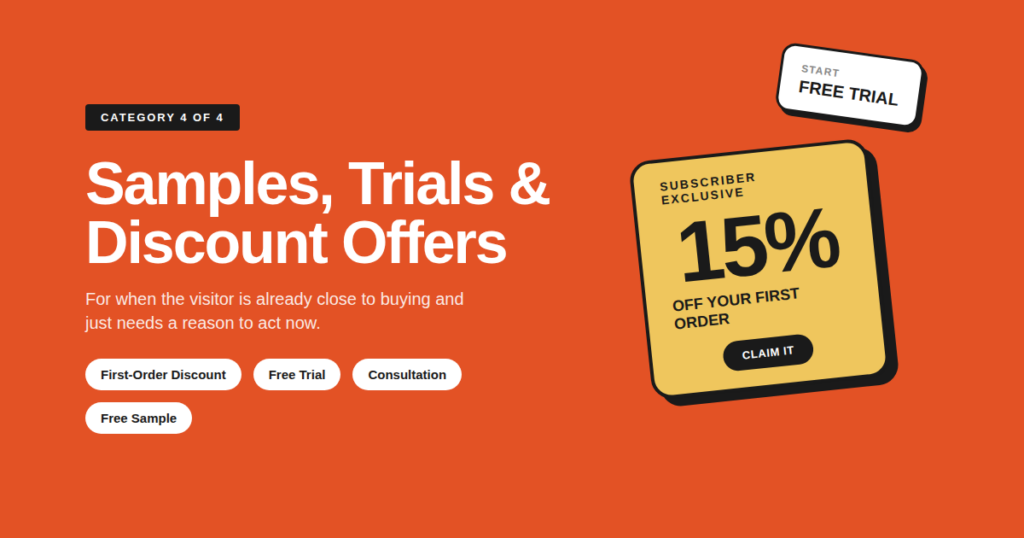
For when the visitor is already close to buying and just needs a reason to act.
11. The discount or first-order offer
The classic ecommerce play. “10% off your first order” in exchange for an email. Free shipping. A welcome bundle. It’s not glamorous. It still works, because the visitor is already on your product page and a small incentive removes the last bit of friction. A photographer’s print-store code. A Showit template-shop first-template offer. A coach’s workshop replay at a subscriber rate.
If you sell products with a clear price tag, ship a first-order discount. Run it as an exit-intent popup. Exit intent means the mouse moves toward the close button, not that a timer fired. A welcome discount on first paint trains people to bounce just to get the code. Exit-intent only for discounts. Pair it with a welcome sequence, but do not write that sequence here. For the popup itself, see the exit popup guide.
12. The free trial, sample, or consultation
The gap it closes: For SaaS, the free trial is the magnet. For coaches, a strategy call. For photographers, a sample of the work. For physical products, a sample kit. It eliminates the space between “interested” and “experiencing the product.” That is a bottom-of-funnel magnet. Using it sitewide fills the list with people who wanted a free call, not a relationship.
A small slice of the work: Put it in the prospect’s hands. For software, a no-credit-card trial. For services, a free call with a useful agenda (not a pitch dressed up as a call). A coach’s 20-minute strategy call with a written agenda. A photographer’s mini-session sample. A Showit designer’s homepage-section sample.
Keep it off the blog: A BDOW! click-trigger on pricing and services pages. Do not hang this magnet on a random blog post about captions. The captions post earned a cheat sheet, not a sales call.
Which of these 12 should you actually ship
You do not need to build all twelve. You need to build one good one. Three questions, not a creation tutorial.
1. What’s the one specific problem your best customers have right before they buy from you? Not the big problem your product solves. The smaller, earlier problem that comes one step before. That’s the problem your magnet should solve.
2. What format can you actually ship in a week? Not a quarter. Not “when I have time.” A week. If you cannot get it out the door in seven days, the format is too ambitious. Pick a simpler one. A checklist that exists out-converts the webinar series that lives in a Google Doc forever.
3. What’s the natural next step from this magnet to your paid offer? If you cannot sketch the bridge in one sentence (“they download the checklist, then I email them about my service that does this for them”), the magnet is not aligned. Pick a different one.
You need one good magnet, not twelve. For the full create walkthrough (landing page, delivery, sequence), use the ultimate guide to lead magnets.
Where the magnet meets the popup
The file is half the job. The other half is not interrupting the wrong person, on the wrong URL, with the same popup they already closed yesterday. Not a plugin tutorial. The capture layer the 12 examples keep pointing at.
1. The ask. An inline form on the relevant blog post. A popup at about 50% scroll when the post itself earned the file. Click-trigger popups for high-intent buttons. Exit-intent when the mouse moves toward the browser close button, not when a timer fires. Email-only field. For how signup forms behave in the wild, read email signup benchmarks. Match the capture type to the magnet, the way the 12 examples above do.
2. The delivery. A download link on the thank-you page, or an automated email that sends the asset within seconds of signup. Test it yourself with a fresh inbox before you launch.
3. The follow-up. Don’t deliver the magnet and disappear. A simple 3 to 5 email welcome sequence introducing yourself and your paid offer turns a list into a business. For how to write those emails, use the sibling how-to guide, not this page.
A returning visitor who sees the same popup again learns to ignore you. Showit’s native popup has no frequency cap. BDOW! does. Showit sites still have a WordPress blog, and capture that works on the blog URL is the layer native Showit popups do not give you.
Social proof on the form is optional. A real named quote, a real count, or a notification that reflects actual signups can help. If you do not have a real one, skip the proof element. Do not invent a testimonial or a download number.
This is the job BDOW! is built for: popups, inline forms, click triggers, exit intent, targeting, email capture, and social proof notifications. If you already have the file and need the capture layer, start a free BDOW! account.
The 12 examples, recapped
If you scrolled to the bottom (we all do it), here is the cheat sheet for the cheat sheets.
| Example | Job it does | Typical capture |
|---|---|---|
| 1. Cheat sheet | One page of instantly usable info | Inline or 50% scroll on that post |
| 2. Checklist | Turns anxiety into checkboxes | Click-trigger plus exit-intent |
| 3. Template / swipe | Pre-built work the reader can copy | Click-trigger on “get the template” |
| 4. Resource roundup | Your trusted shortlist | End-of-post inline plus exit-intent |
| 5. Quiz | Results that are about the reader | Email on the result page |
| 6. Calculator | A personalized number they want | Email before the full number |
| 7. Audit / scorecard | A custom look at their situation | Short form: URL plus email |
| 8. Free email course | Five emails that teach one skill | Landing page or welcome-mat popup |
| 9. Mini-masterclass | 30 to 60 minutes of video trust | Click-trigger plus landing popup |
| 10. Webinar | Live or evergreen training with a date | Event registration popup |
| 11. Discount | A reason to buy now | Exit-intent only |
| 12. Trial / consult | A taste of the work | Click-trigger on pricing / services |
Pick one. Ship it this week. The best magnet is the one collecting emails while you sleep.
Lead magnet FAQ
What is a lead magnet?
A lead magnet is a useful resource you offer for free in exchange for an email address. It can be a PDF cheat sheet, a quiz, a calculator, a free trial, a discount code, or a short email course. The point is to trade real value for a contact, so you can start an email relationship instead of hoping the visitor remembers you later. This page is a gallery of examples, not a definition encyclopedia.
What are examples of lead magnets?
Lead magnet examples include cheat sheets, checklists, templates, quizzes, calculators, audits, email courses, trainings, webinars, discounts, and consultations. Those formats are the 12 patterns in this article. Steal the pattern that matches the problem your visitor has right now, not the asset another brand published.
What are the types of lead magnets?
Types of lead magnets group into four jobs: save time (cheat sheet, checklist, template, resource roundup), personalize the result (quiz, calculator, audit), educate over several days (email course, mini-masterclass, webinar), and close a sale (discount, consultation or trial). Naming the job first is more useful than collecting 40 disconnected ideas.
Do lead magnets still work in 2026?
Yes. Specific magnets that solve one problem and deliver a fast win still earn the email. Generic “ultimate guide” PDFs converted well in 2018 and barely move the needle now. The format matters less than the specificity of the promise, and the promise still has to sit one step before what you sell.
How long should a lead magnet be?
Short enough to consume in about 10 minutes. Long lead magnets feel valuable when you’re making them and feel like homework when someone has to read them. A 5-page checklist will usually out-convert a 50-page ebook, because the reader actually finishes it and associates your name with a quick win.
What makes a lead magnet convert?
Specificity, a quick win, a bridge to what you sell, and an email-only ask. Format matters less than fit. A boring checklist that matches the page will beat a polished quiz that does not. If you catch yourself hunting for a single “best” type, you are answering a different question than this URL is built for.
How do you get a lead magnet in front of visitors?
Put it on the page they are already reading: an inline form, a scroll popup, a click-trigger, or exit-intent (the mouse moving toward close, not a timer). The magnet is the offer. The form is how they trade the email. BDOW! popups, targeting, and email capture are the layer that sits between the file and the inbox.
Conclusion
“Join my newsletter” still is not a CTA. A specific, useful trade is. Twelve patterns. You only need the one that matches the problem sitting one step before your paid offer.
If you now want to build the file, the form, and the follow-up, start with the ultimate guide to lead magnets. If you want the training-style magnet as a working example, grab a seat at the free Lead Magnet Playbook. If you already have the file and just need the capture layer (inline, click-trigger, exit-intent, targeting), start a free BDOW! account.
Pick one pattern. Ship it this week. Let it collect emails while you sleep.



Add A Comment
VIEW THE COMMENTS